

Put files and whole folders into one ZIP.
Make a ZIP of files and whole folders in your browser, with nothing uploaded: folders kept, names every program reads, and no size limit but your device's.
By Suraj Kumar4 min read
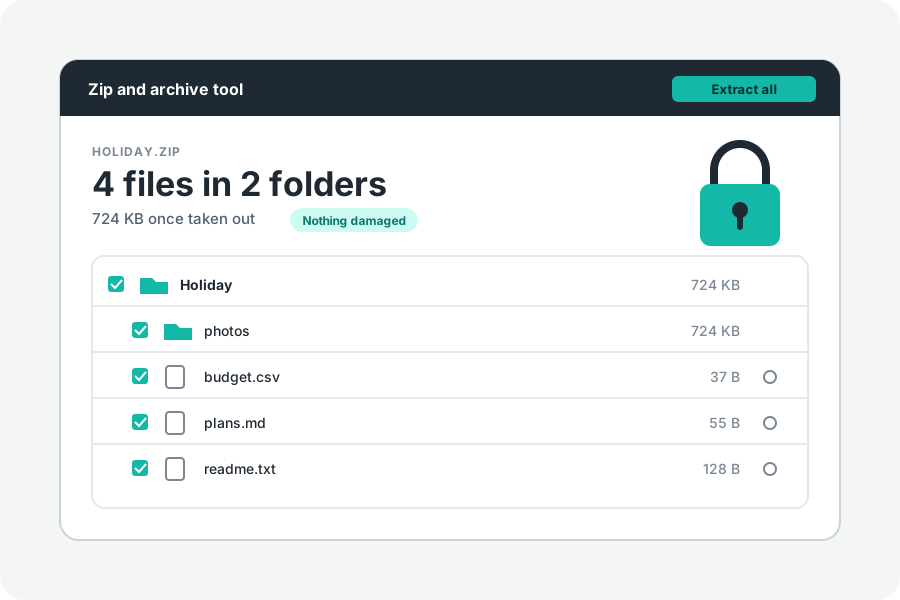
A ZIP puts many files into one, so they travel together and arrive with their folders as you left them. KeepSimp makes one in your browser: the files are read from your disk and the ZIP is written on your device. Nothing is sent anywhere.
Add files, name it, make it.
Open Create a ZIP and drop files or folders on it, or press Choose files or Choose a folder. You can add more at any time before you make it. The page says how many files there are and how large they are together.
The ZIP is named after the folder you added, or the one file, or Files.zip otherwise. Change the name if you like, then press Make the ZIP. A single ZIP downloads by itself, with a button to save it again.
There is no upload, so there is no limit but the space on your device. The files are read one after another and written straight into the ZIP, never held whole.
Folders keep their folders.
A folder goes in with everything inside it, in the same folders. When you drop a folder on the page, empty folders inside it are kept too. Choose a folder cannot carry them: the browser lists only the files in a folder chosen that way.
Some names cannot go in, and the page says which and why: a name with a backslash, which Windows reads as a break between folders, two files of the same name, and two names that differ only by capital letters, which most computers cannot keep side by side.
The files Macs and Windows add to folders (.DS_Store, __MACOSX, ._ files, Thumbs.db and desktop.ini) are left out, and the page counts them. Turn off Leave out files Macs and Windows add under More options to keep them.
A ZIP that opens anywhere.
Files are packed with Deflate, the method every ZIP program reads. Names are marked as UTF-8, so accents and other alphabets come out as you wrote them. Each file keeps its date.
Files of 4 GB or more, and ZIPs of more than 65,535 files, need ZIP64 records, and they are written only when needed. Every current program reads them; some very old ones do not.
Why some files do not get smaller.
Packing finds repeats and writes them once. Plain text, CSV files, code and logs have many, and often shrink to a fraction of their size. Photos, videos, music, most PDFs, and Word, Excel and PowerPoint files are compressed already, so there is little left to find.
Those files are stored as they are, which saves time and changes their size by almost nothing. The result says how much smaller the ZIP came out, and how many files were already compressed. Turn off Store pictures, videos and archives as they are under More options to pack them anyway.
To make pictures, videos or PDFs themselves smaller, use the tool made for them, then put the results in a ZIP.
More options.
How hard to pack goes from 0, which only stores the files, to 9, which is smallest and slowest; 6 is what most programs use. You can also lock the ZIP with a password, or cut it into parts for an email.
Further reading
Topics: create zip file · zip a folder · zip files online · compress files to zip · make a zip file · zip without uploading · zip64 · why is my zip not smaller
A little less theory. A little more doing.
Try it on your own terms, with a free browser tool.
Try the tool