

Turn a tar.gz into a ZIP that opens anywhere.
Convert a tar.gz, .tgz or .tar to a ZIP in your browser, with nothing uploaded: folders and dates kept, for computers and phones that open only ZIP.
By Suraj Kumar4 min read
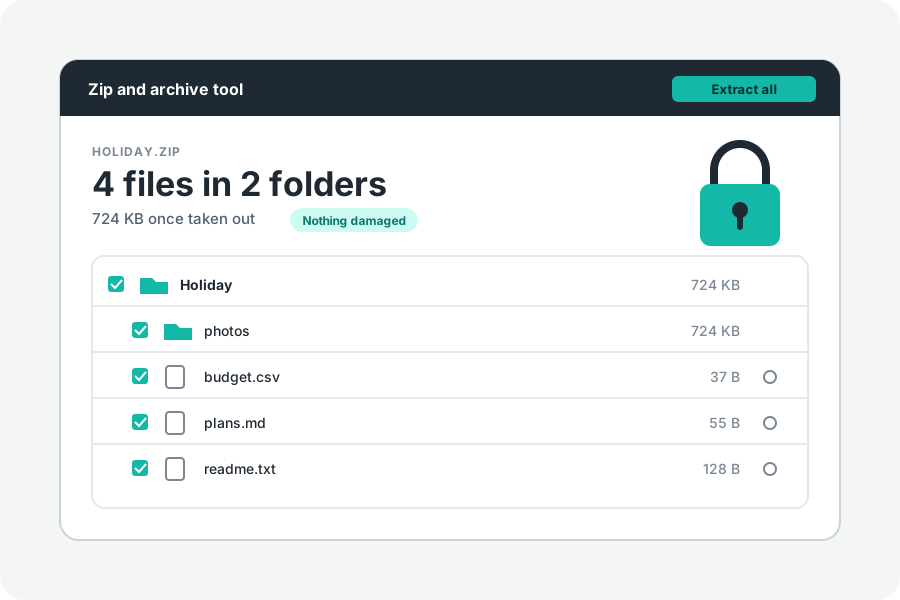
A tar.gz is normal on Linux and servers, but not every computer or phone opens one by itself. A ZIP opens almost everywhere. KeepSimp turns one into the other in your browser, with the folders kept, and nothing is sent anywhere.
Two steps.
Open Convert tar.gz to ZIP and drop a .tar.gz, .tgz or .tar on it. Its files are listed. Press Save as a ZIP. Each file is taken out on your device and packed into a ZIP with the same folders and dates, and the ZIP downloads with the archive's name.
The same button is on the Zip and archive tool whenever a TAR or tar.gz is open, beside Download and Check for damage.
When a ZIP is the better thing to send.
Windows Explorer, a Mac and phones all open ZIP files by themselves. Microsoft says Windows 11 from version 24H2 handles TAR as well, but older Windows needs a command or another program, and a phone often needs an app. If the person you are sending to is not on Linux, a ZIP is the safer choice.
If you only need the files, there is no need to convert: take them out of the tar.gz directly.
What is kept and what is not.
Every file's bytes, name, folder and date are kept. The ZIP is packed at the usual level, with pictures, videos and archives stored as they are, since they are packed already. Names are written so that every program reads their accents and alphabets (UTF-8), and files over 4 GB as ZIP64.
Owners and permissions are not carried over, and links, devices and sparse files are left out, as they are when files are taken out. The ._ files macOS tar adds are left out while Hide files Macs and Windows add is on, which it is to begin with.
Large archives.
The files are taken out into the browser's private storage for this site, then packed into the ZIP, so you need room on your device for the files and the ZIP together for a moment. That storage is emptied when you leave the page. Stop ends the job at once.
A tar.gz is read once from start to end, and its gzip checksum is checked at the end. A damaged archive stops the ZIP with the reason rather than giving you one that is missing files.
A single .gz is not a tar.
A plain .gz holds one file, so there is nothing to convert: open it and save the file inside. If you want that file in a ZIP, make a ZIP of it afterwards.
Further reading
Topics: tar.gz to zip · convert tar.gz to zip · tgz to zip · tar to zip · convert tar to zip online · open tar.gz on windows · tar.gz to zip without uploading
A little less theory. A little more doing.
Try it on your own terms, with a free browser tool.
Try the tool